Catalogs
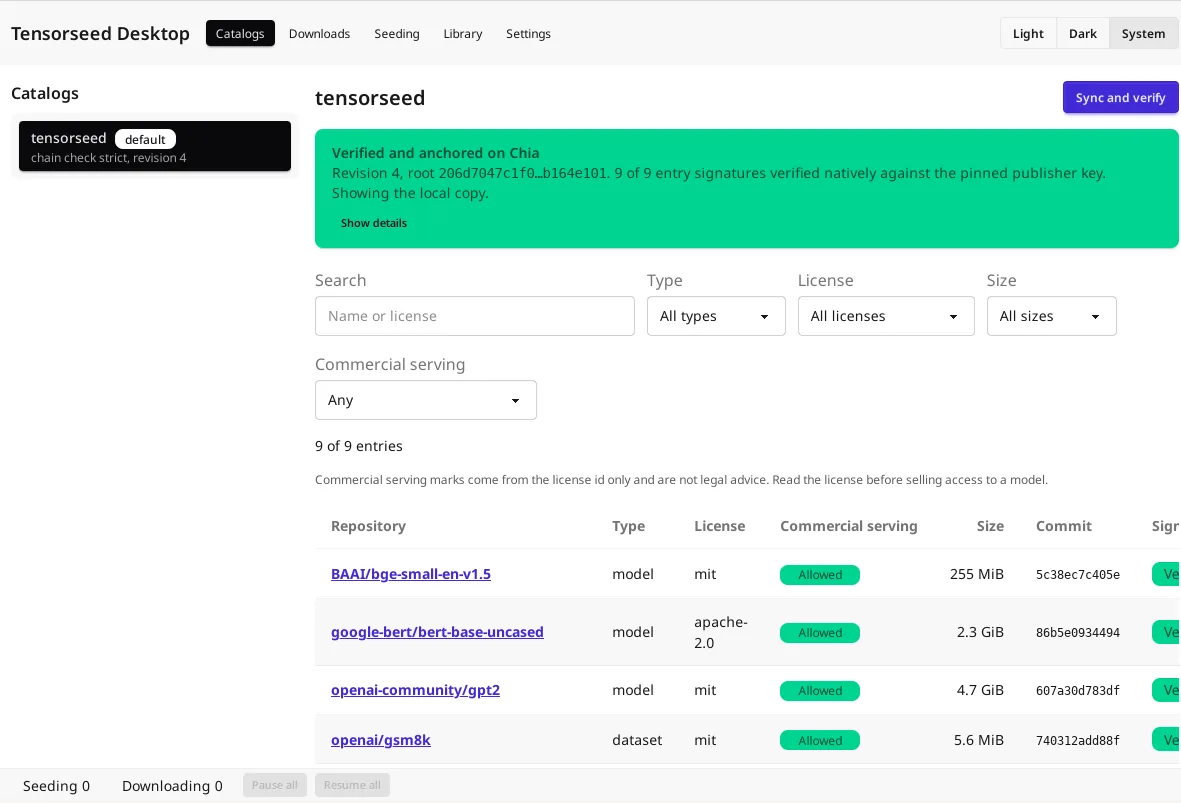
Lists the catalogs you follow and their entries. Syncing runs the same Chia chain check as the CLI, and every entry signature is checked natively against the pinned publisher key.
Browse the catalog, check each entry’s signature and Chia anchor, pull with progress, pause and resume, and seed what you pulled, without a terminal. Desktop shares its config, downloads, and seeder with the CLI on the same machine, and it sends no telemetry.
Lists the catalogs you follow and their entries. Syncing runs the same Chia chain check as the CLI, and every entry signature is checked natively against the pinned publisher key.
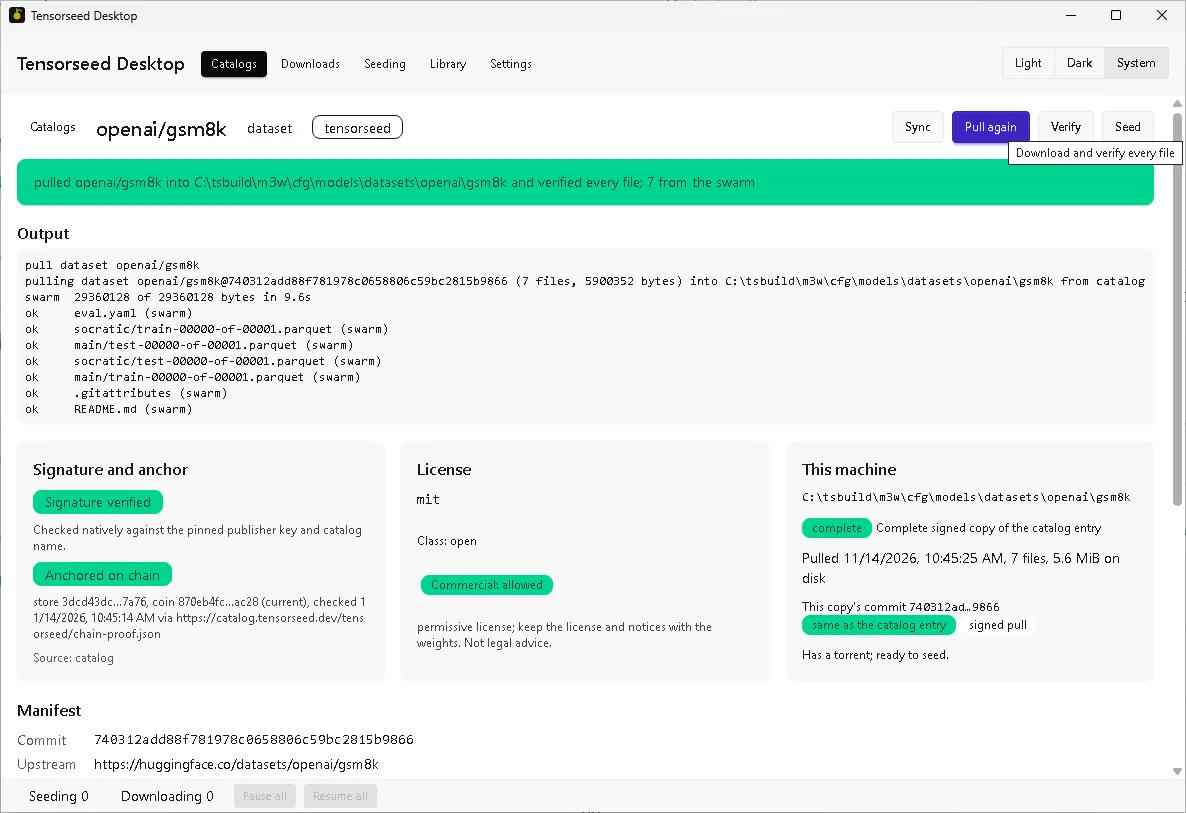
One page per model or dataset: manifest, signature and anchor status, license class and commercial serving mark, the file list with hashes, and what this machine already has.
Files, bytes, rate, and peers as it runs. Pause and resume keep partial downloads; cancel deletes them and keeps finished files. Tick files to pull only those.
Every pull in the job database the CLI uses, so either can resume the other's. The Library lists your copies with Verify, Open folder, and Delete.
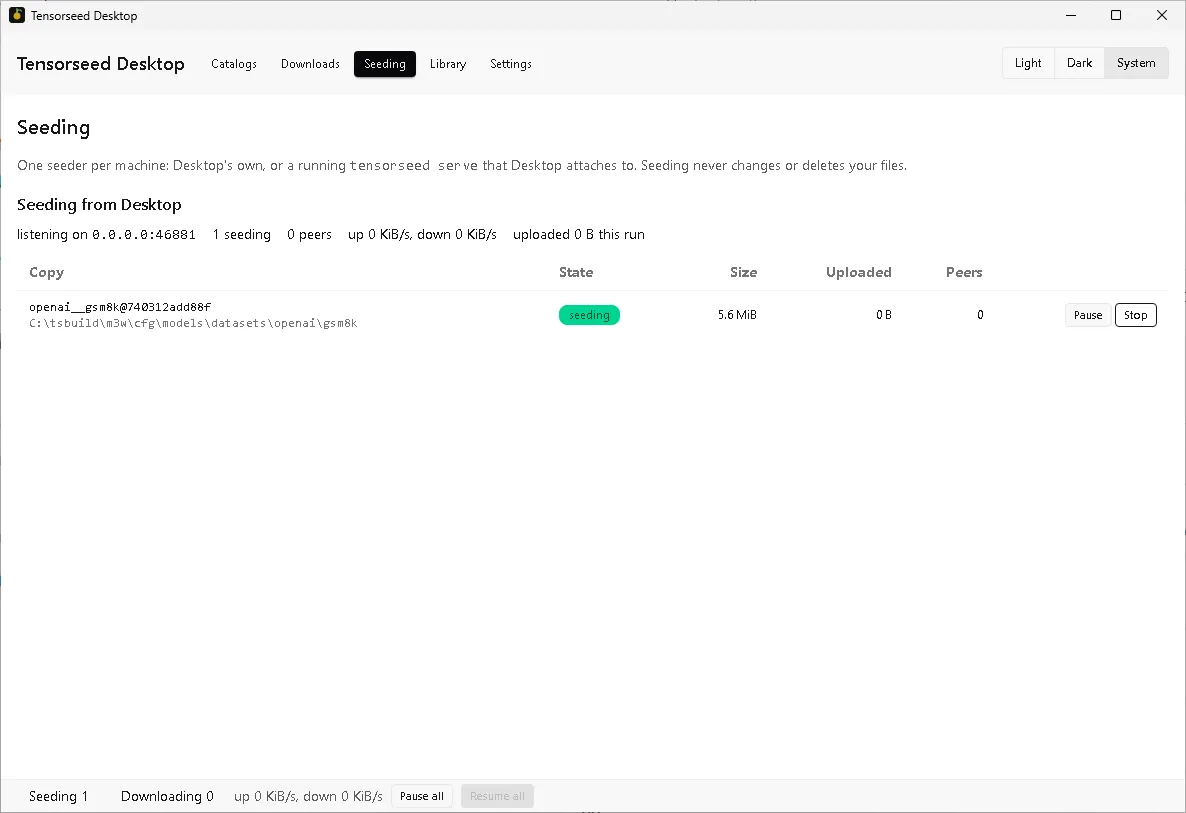
One seeder per machine: Desktop's own, or a running tensorseed serve that Desktop attaches to, with Pause and Resume per revision and for all. A tray icon shows what is running.
The AppImage and Windows builds update only after you confirm, and only with an update signed by the Desktop update key. Sign in to Hugging Face from Settings, which also holds every torrent option.